Live, uncensored radio from The Gate City
Radio Greensboro brings you Greensboro and Guilford County public safety radio as it happens: police, fire, EMS and the airport. Not just dispatch: when a call turns into something bigger, you hear the units working it, read what they said, and see where it's happening.
How to use it
- Press Listen live and pick what to hear: All, Police, Fire, EMS, or Air (the airport's aircraft radio).
It keeps playing with your phone locked, and your lock screen shows the call that's playing.
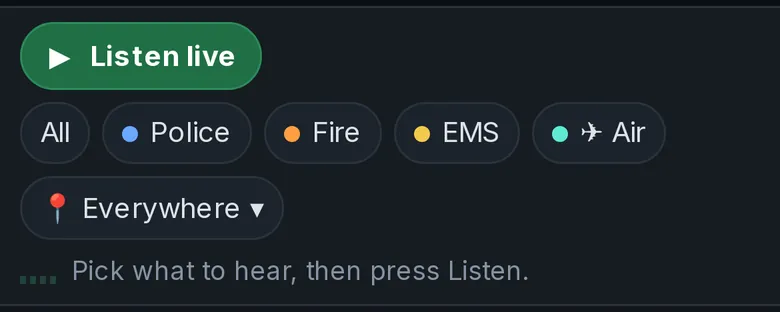
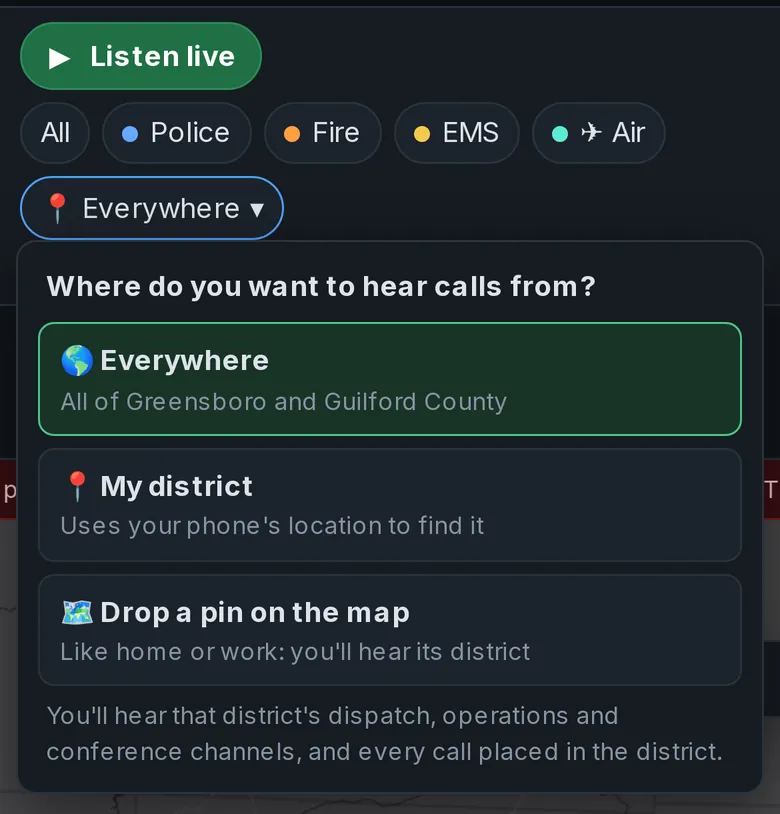
- Hear just your part of town. Tap 📍 Everywhere and choose My district (your phone finds it) or
Drop a pin on the map (home, work, wherever). You'll hear that police district's own dispatch, operations and
conference channels, plus the county's fire, EMS and Sheriff calls that happen in it.
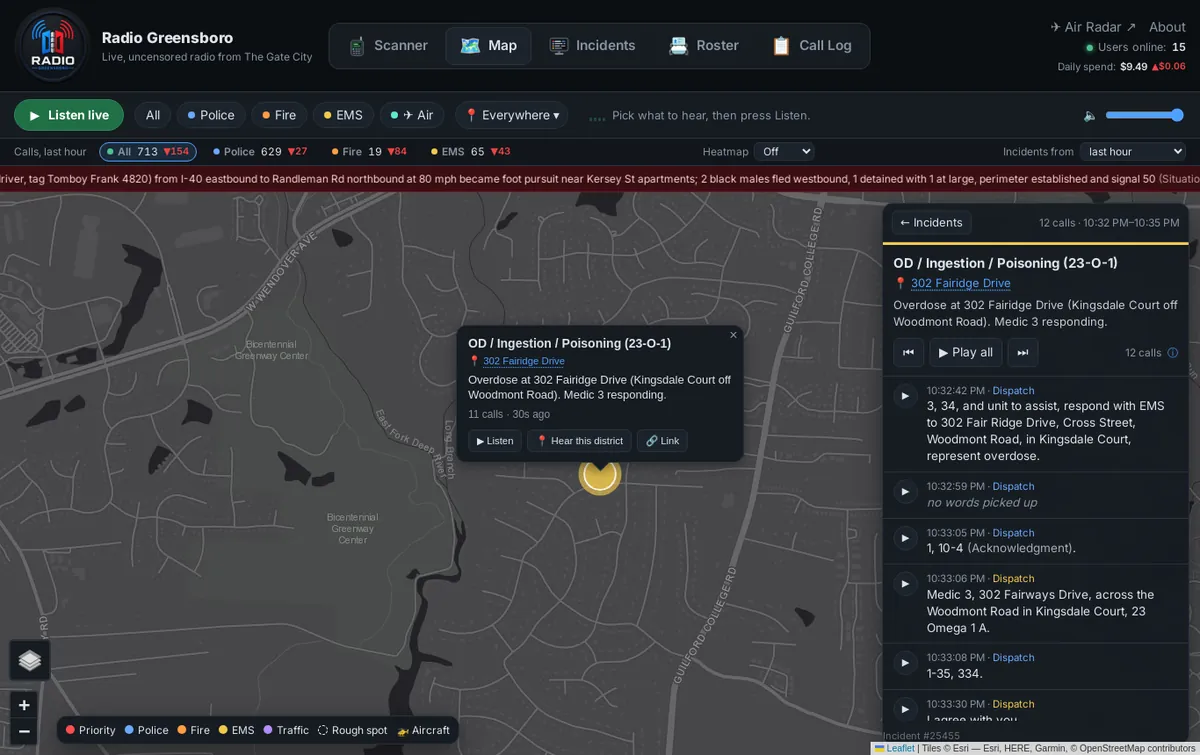
- Follow incidents on the Map. Each dot is an incident; bigger dots have more radio traffic,
and dashed ones are rough spots where only a street was given. Open one to read a summary and every call in it,
play the calls one by one or with Play all, share it with 🔗 Link, or tap 📍 Hear this district.
Look back up to 24 hours, filter by service in the counts bar, or turn on the heatmap.
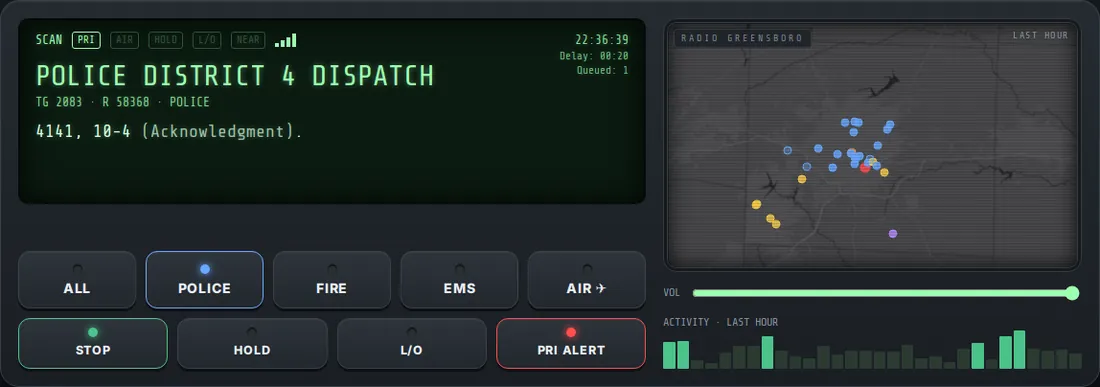
- Or use the Scanner, built like a real one: pick a service, then SCAN. The display shows the
channel and what's being said, with a small map that follows the call. HOLD stays on the channel you're hearing,
L/O locks a channel out, and PRI ALERT chimes when something serious starts. Delay is how long ago the
call you're hearing went out on the air; Queued is how many calls are waiting their turn.
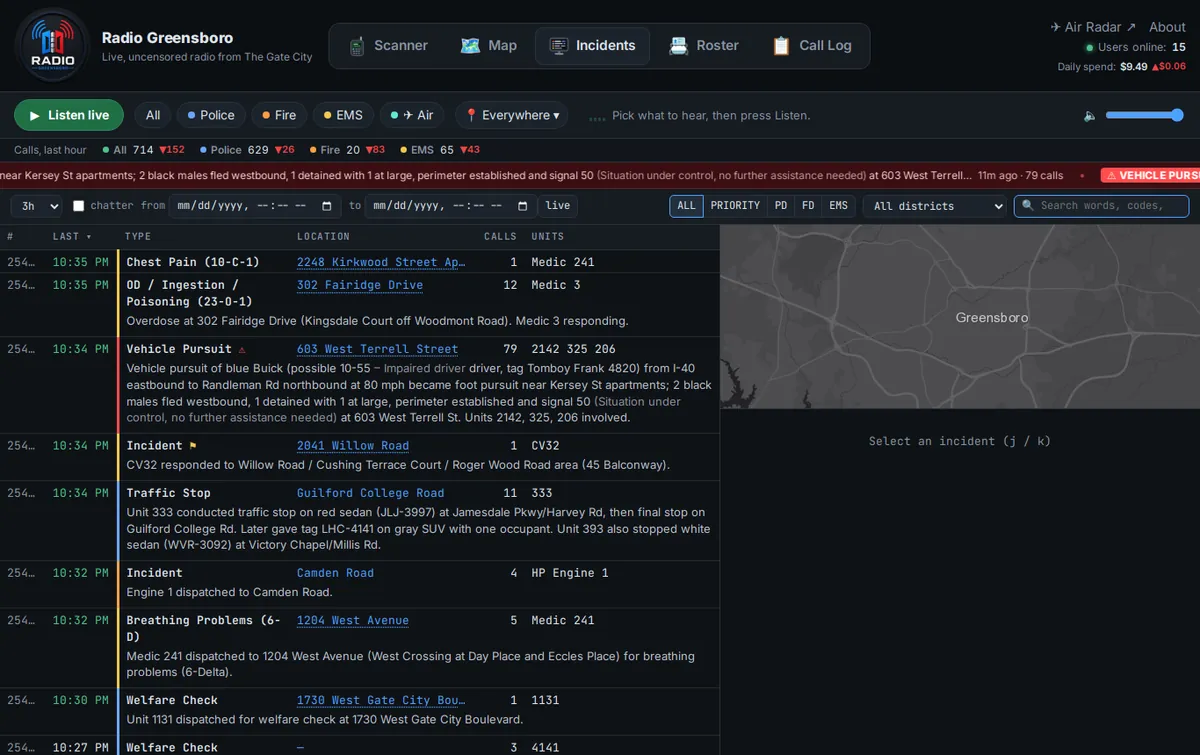
- Check the Incident Board for every incident with its full summary, dispatch style, with
keyboard shortcuts (j and k to move). Search it or the Call Log for anything said: words, 10-codes like
10-16, streets, places, units like Engine 46, or an incident number like #4330. Put @ before a unit (@1143, @Medic 12)
for only the calls that unit made or was called on.
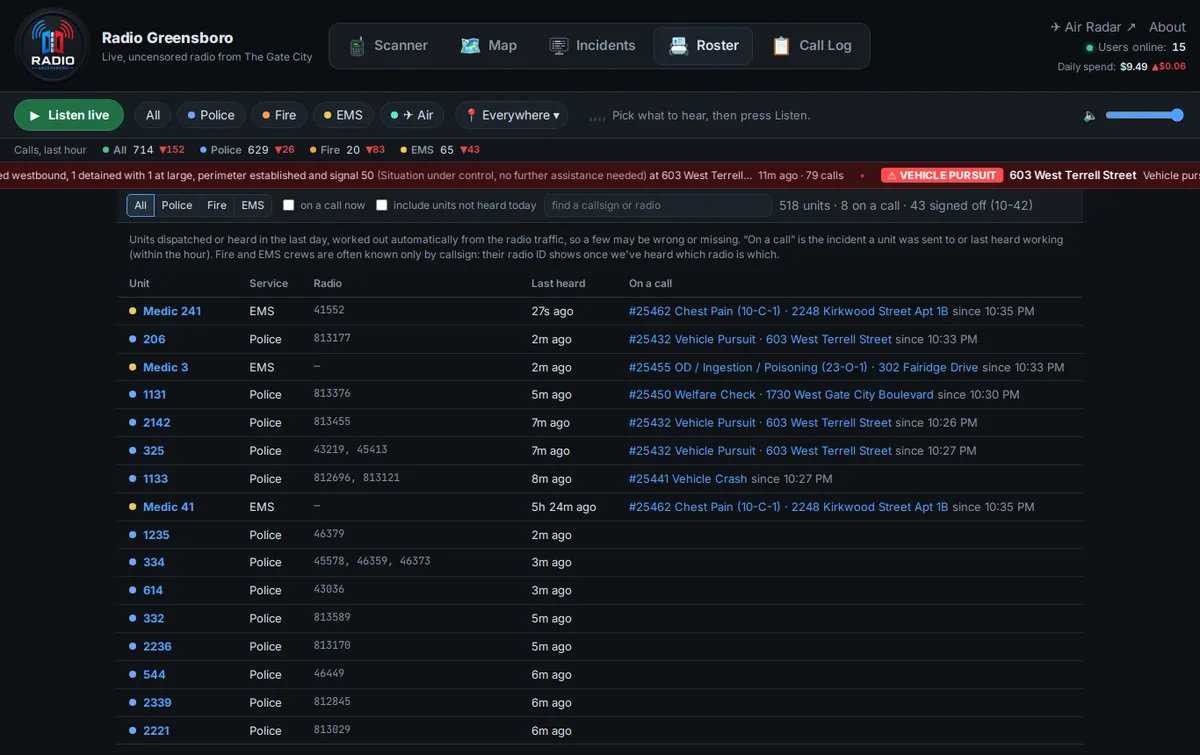
- See who's out there on the Roster: the police, fire and EMS units heard in the last day and
what each one is working. The Call Log is every transmission, newest first.
When it gets busy: more can happen at once than one speaker can play. The stream plays calls one after another, and if it falls behind it skips the least important talk first (chatter, then operations channels), keeps dispatch, and never falls more than 15 minutes behind.
Alerts
- The red bar at the top lists what's serious right now: domestics, armed subjects, shootings and stabbings,
robberies, fights, pursuits, officer emergencies, lookouts (BOLOs) for a described vehicle, and major incidents like
working fires and serious crashes. Tap one to see it on the map.

- Aircraft emergencies show up there too: any plane over Guilford County squawking 7600 (radio failure) or 7700 (emergency), and any plane our receiver hears squawking 7500 (hijack), wherever it is.
- Aircraft: Highway Patrol and Sheriff aircraft and medical helicopters appear on the map while they're over Guilford County. Tap one, or Air Radar, for live tracking from our own receiver.
- 10-codes and other radio shorthand are spelled out where they appear: "10-50 (Vehicle accident)", "IVC (Involuntary commitment)". Calls and incidents are kept for 30 days.
On X and Facebook
- Facebook gets the biggest incidents as they happen: serious police calls, crashes that close a road or are serious, large fire responses and aircraft emergencies over the county.
- Every morning at 7, the Daily Roundup recaps the day before on X and Facebook, with a link to each incident.
- Posts name the street, never the house number, and leave out names, license plates and phone numbers. Domestics, medical calls, mental-health calls and anything involving juveniles aren't posted unless the public needs to know: a kidnapping, a lookout, or a threat to public safety. Everything is still here on the site.
How it works
Some of the work happens here on our own equipment, and some is sent out to paid services in the cloud.
Here, on our own equipment
- Radio receivers. Small computer-controlled radios listen to the county's digital radio system. A couple of them follow the system's control channel, which says which conversation is on which frequency; the rest record the voices. That turns the air into one recording per transmission. Other receivers pick up the airport's aircraft radio and the location signals aircraft broadcast.
- Our server does the rest: it reads the codes, units and addresses in each call, groups calls into incidents, finds them on the map, decides what's serious enough for the red bar, runs the live audio streams, and serves this website. If the cloud speech service goes down, a smaller speech-to-text program on our server keeps things moving.
In the cloud
- Speech-to-text: each recording is sent to a cloud AI service that turns the audio into words.
- Summaries: the same kind of AI writes each incident's plain-English summary, updating it as new calls come in.
- Hard-to-place calls: when our own rules can't find an address in what was said, the AI takes a look.
- Posting to Facebook and X, and the map pictures your browser loads to draw the map.
Public information we rely on
We downloaded these and keep them on our server, so looking something up doesn't leave the building:
- Addresses and roads: every address point and street in Guilford County, from the county's public map data. That's how "4400 Regency Drive" becomes a dot on the map, and how we can tell a real house number from a misheard one.
- Police and fire districts: the city's public maps of police districts and fire response zones, including which fire station is first, second and third to arrive in each zone. They tell us which district a call is in, check that a spot makes sense for the units sent, and power listening by district.
- Highways and landmarks: open community map data for highways, exit numbers and mile markers, and named places like schools, parks, stores and daycares, so "I-40 at the 214" or "the Walmart on Battleground" lands in the right spot.
- Radio codes: each agency's 10-codes and signals, so "10-50" reads as "Vehicle accident" on the right channel.
What it costs
Running the site costs money every hour, and we show it as it happens. Most of it scales with how busy the radio is:
- Speech-to-text is billed by the hour of audio, about $0.10 per hour of radio talk. The county's busy channels add up to many hours of talk a day.
- AI summaries cost a fraction of a cent each. An incident gets a fresh summary as calls come in (less often as it grows) and one last one when it's over. Big incidents use a smarter, pricier model.
- AI location help costs a fraction of a cent a call, only for calls our own rules can't place.
- X charges $0.20 for each post with a link, which is why X gets one Daily Roundup instead of every incident. Posting to Facebook is free.
- Power and internet for our equipment, counted at $0.11 an hour.
The Daily spend at the top of every page is today's total so far; its arrow compares it with yesterday at the same hour (red ▲ means more, green ▼ means less). The month numbers above work the same way. The projection assumes the rest of the month runs like the last 7 days. One-time equipment costs (radios, antennas, computers) aren't included.
Good to know
- Radio traffic is public. This site records and displays it for informational purposes only. Always rely on official channels for emergency response; this is not an emergency service. If you need help, call 911.
- Transcripts, summaries and map locations are generated automatically from noisy radio audio and can be imprecise. When it matters, listen to the call.
- Some channels aren't here: encrypted police tactical channels can't be heard by anyone, and non-emergency channels like transit and utilities aren't carried. Very short transmissions aren't transcribed.
- Your visits: to run the site we keep a basic visit log: your IP address, which page you were on and for how long, and which incidents you opened or played. It's kept for 30 days and never shared or sold.
Contact
Questions, comments, and feedback are welcome!